Description
Your next ad, already scripted, planned and laid out.
UGC-style ads — the kind that look like a real person talking to their phone — have become one of the most common creative styles on Instagram, TikTok and Facebook. But making them is harder than it looks. You need a hook that stops the scroll, a script that sounds natural, the right shots, clean subtitles and a clear call-to-action. Hiring creators for every variation gets expensive quickly, and a blank Canva page doesn’t tell you what to say.
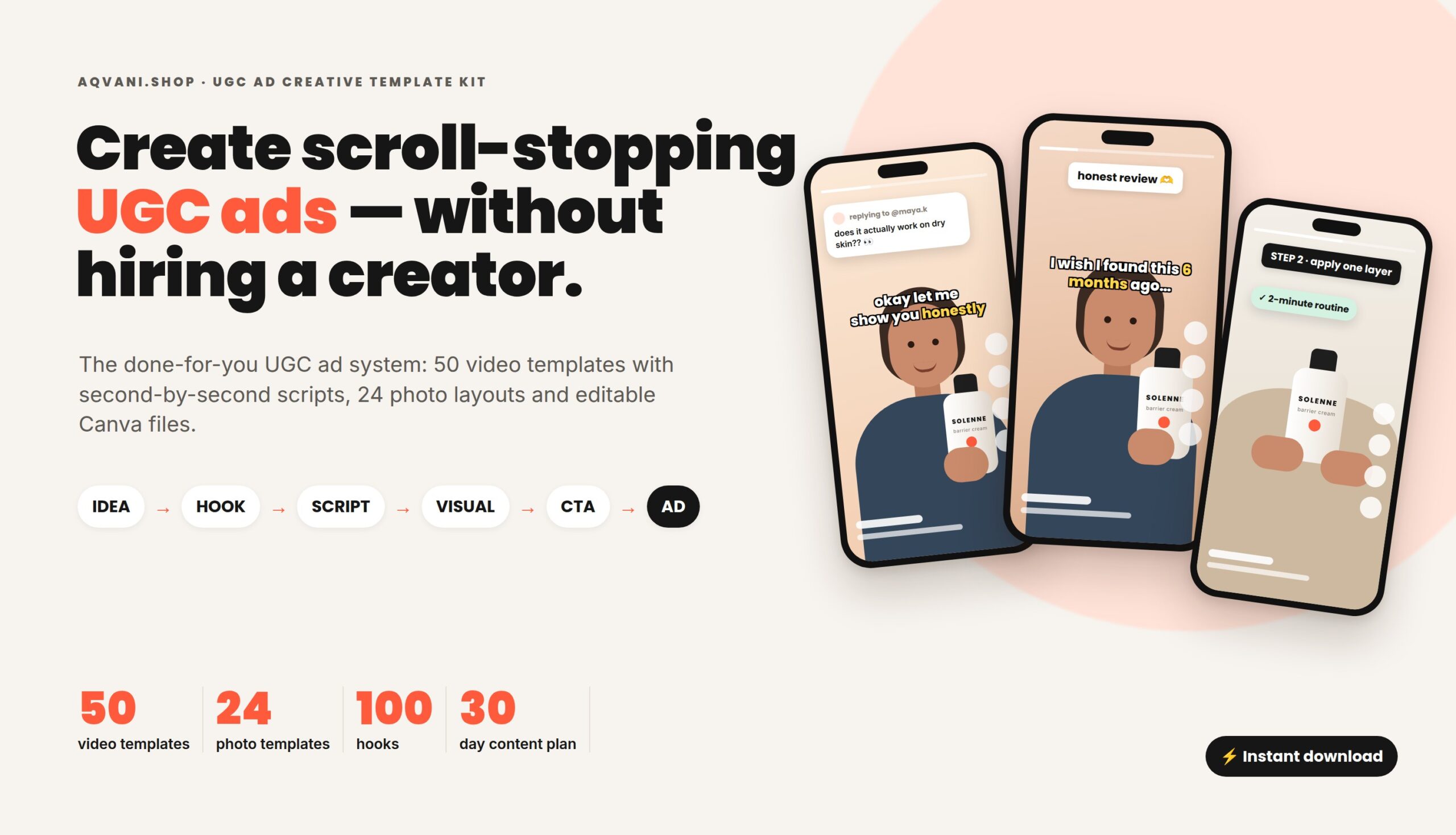
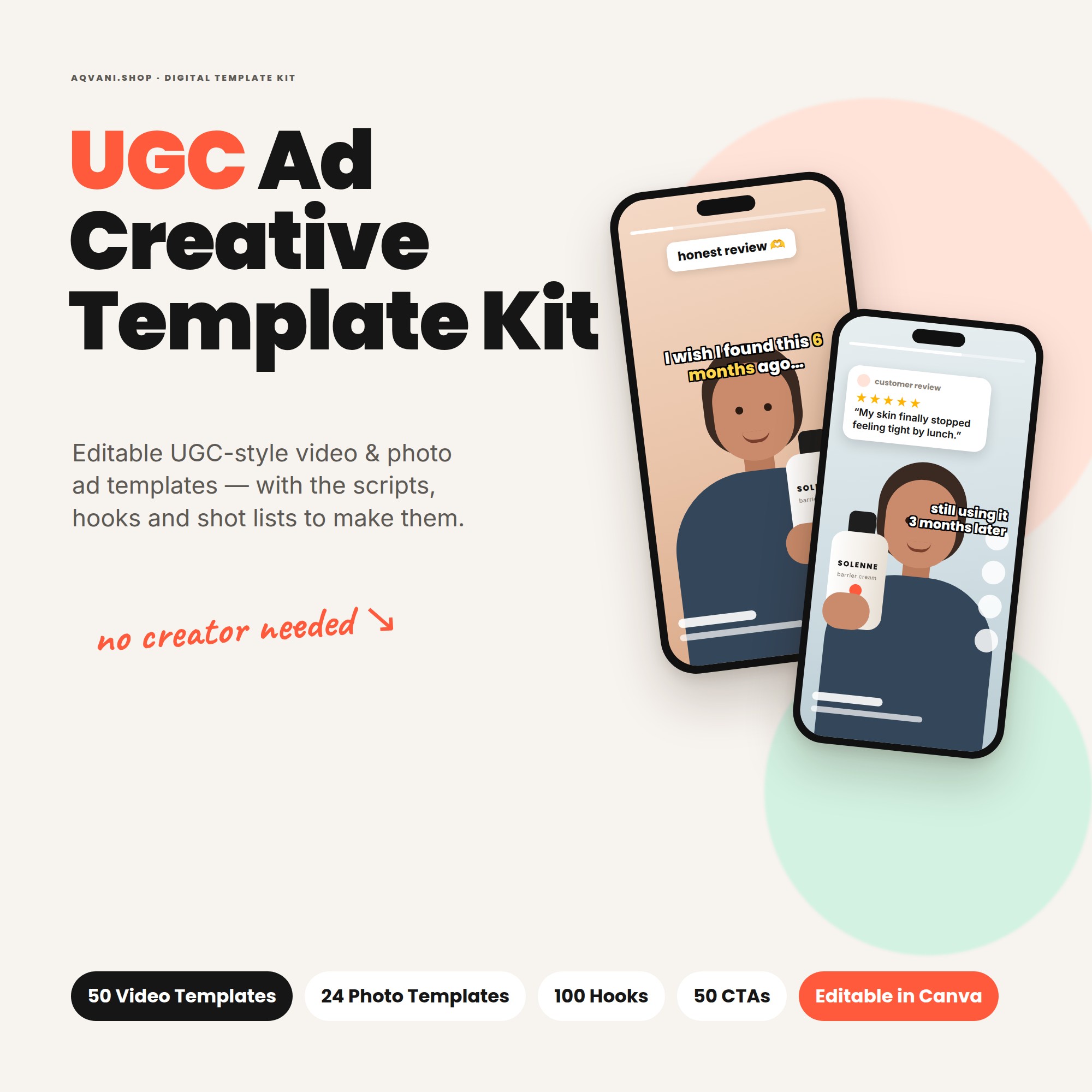
The UGC Ad Creative Template Kit is a complete, done-for-you UGC ad creative system. It walks you through every step:
IDEA → HOOK → UGC SCRIPT → VISUAL → CTA → FINISHED AD
What it is
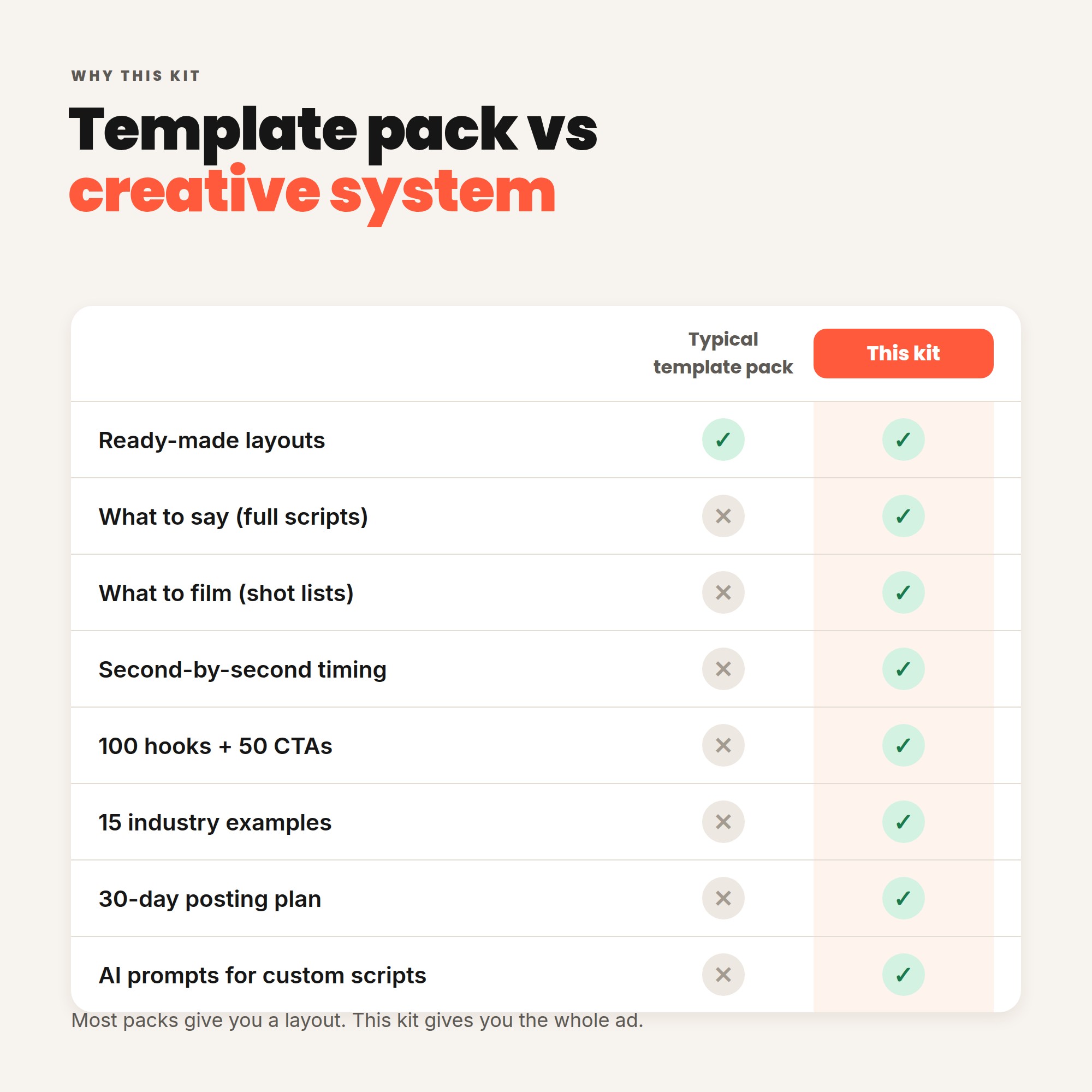
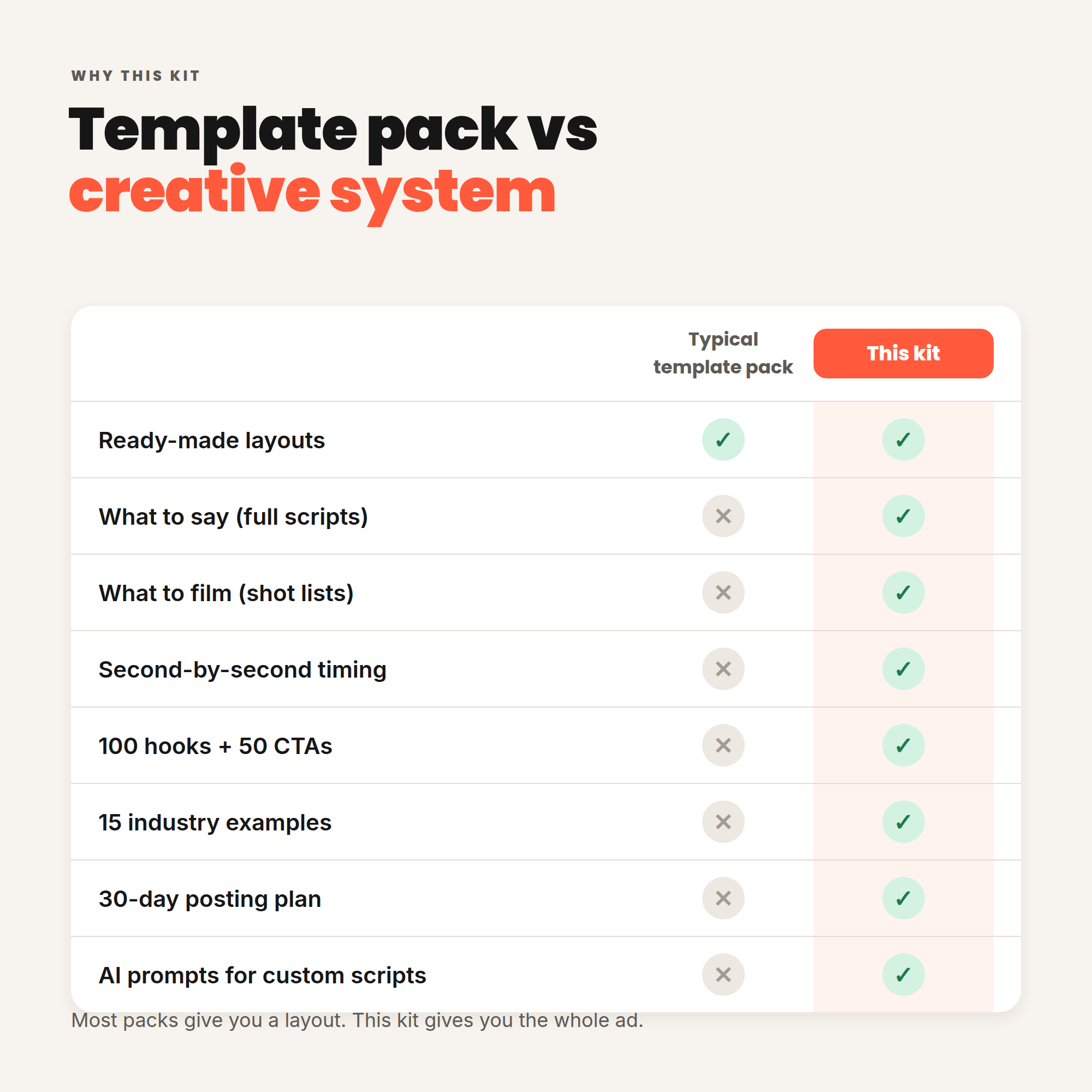
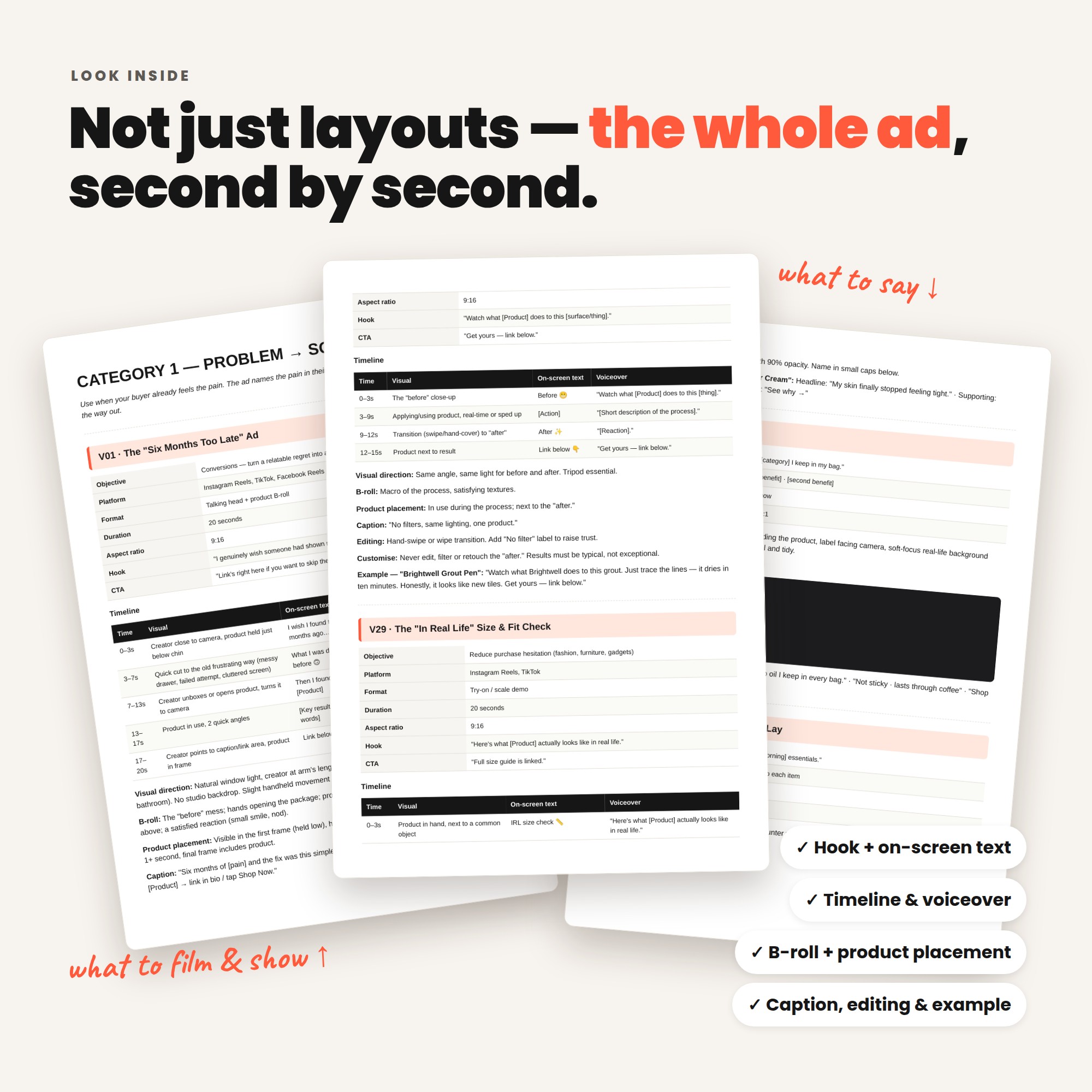
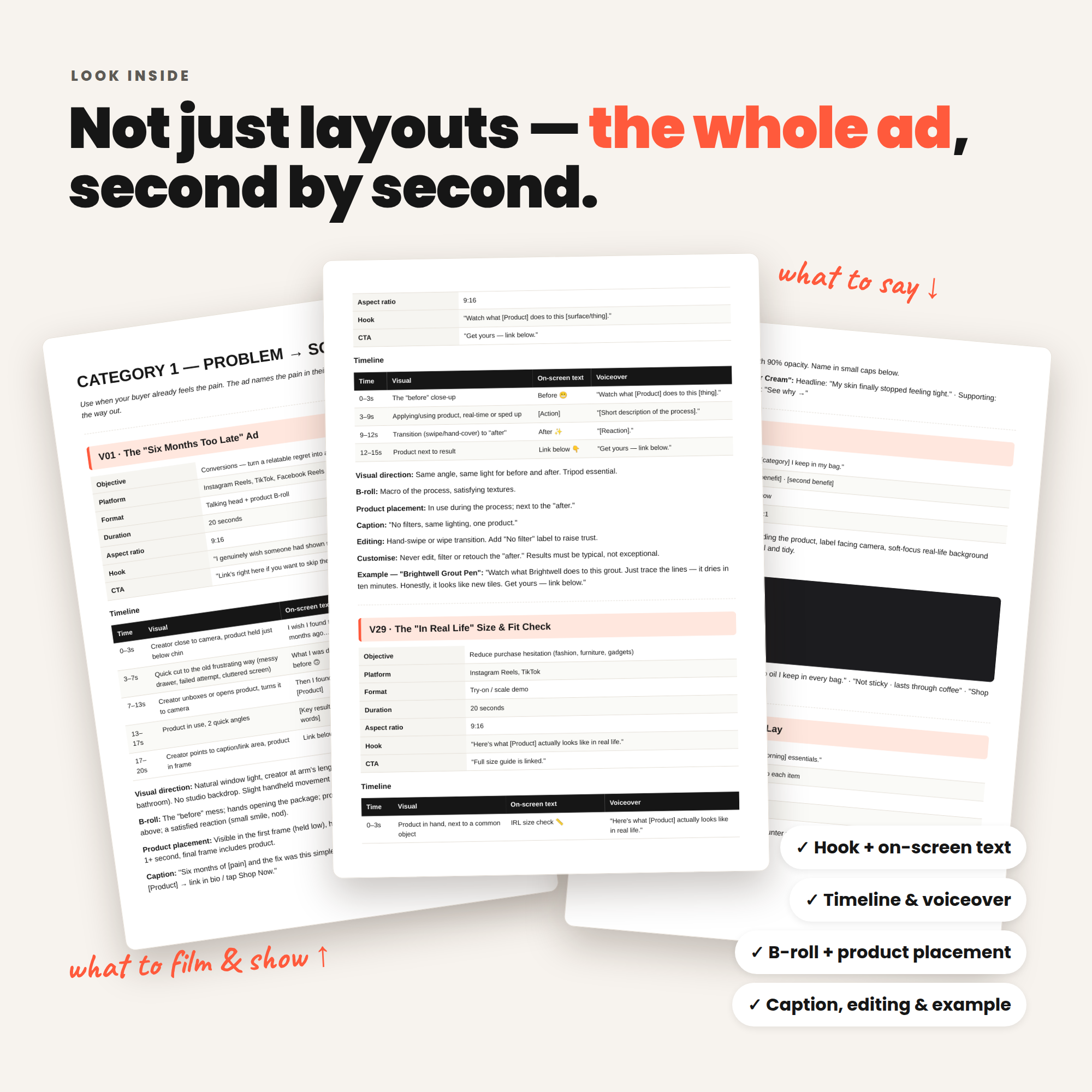
A downloadable kit of 11 organised PDF guides plus editable Canva templates. At its core are 50 UGC video ad templates, each with a second-by-second timeline showing exactly what to film, what text to show and what to say — plus B-roll ideas, product placement tips, caption, editing notes and a fully written example.
Who it’s for
Small business owners, e-commerce and Shopify-style stores, digital product sellers, coaches and consultants, SaaS founders, beauty, skincare, fashion, food and lifestyle brands, affiliate marketers, creators, social media managers, freelancers and agencies.
What’s inside
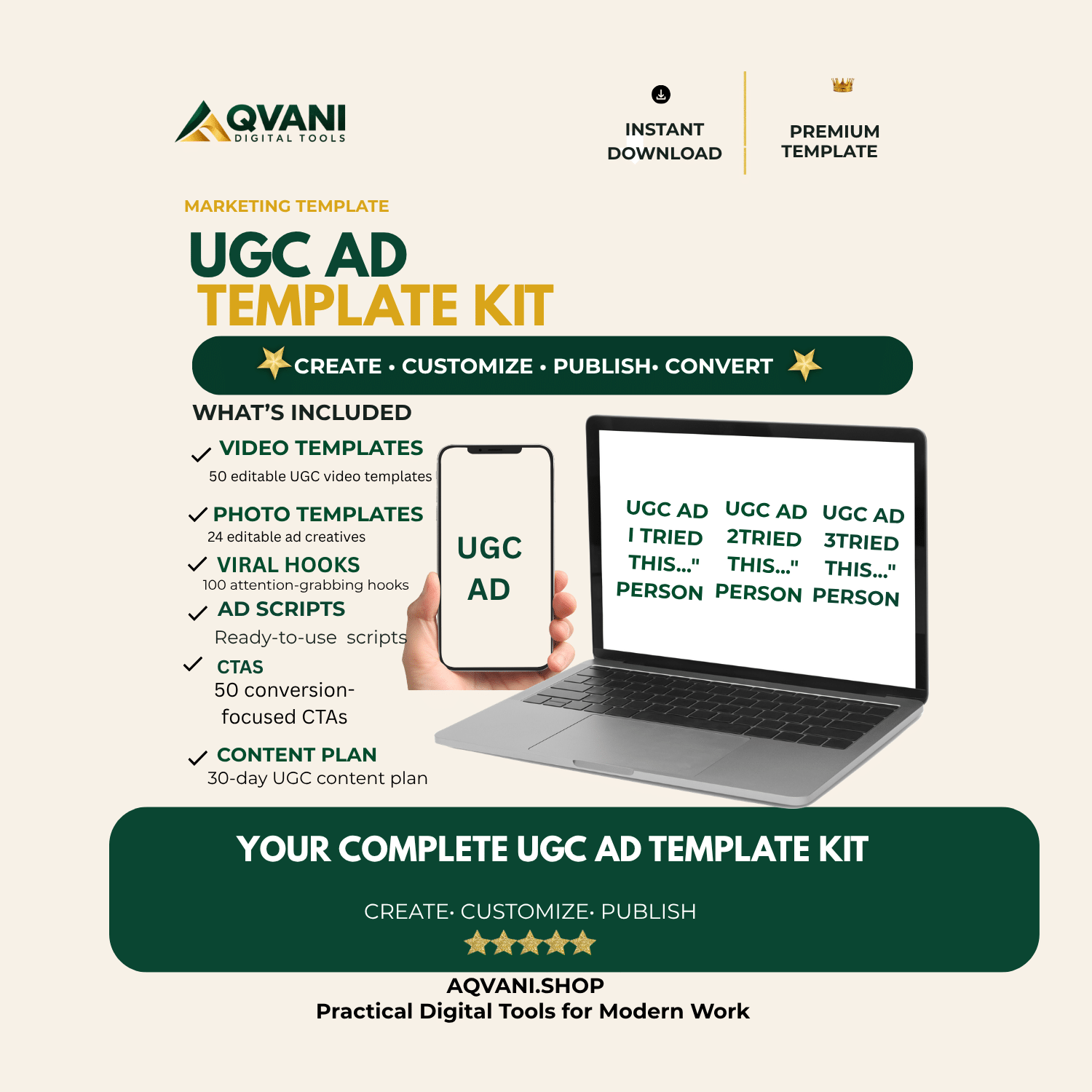
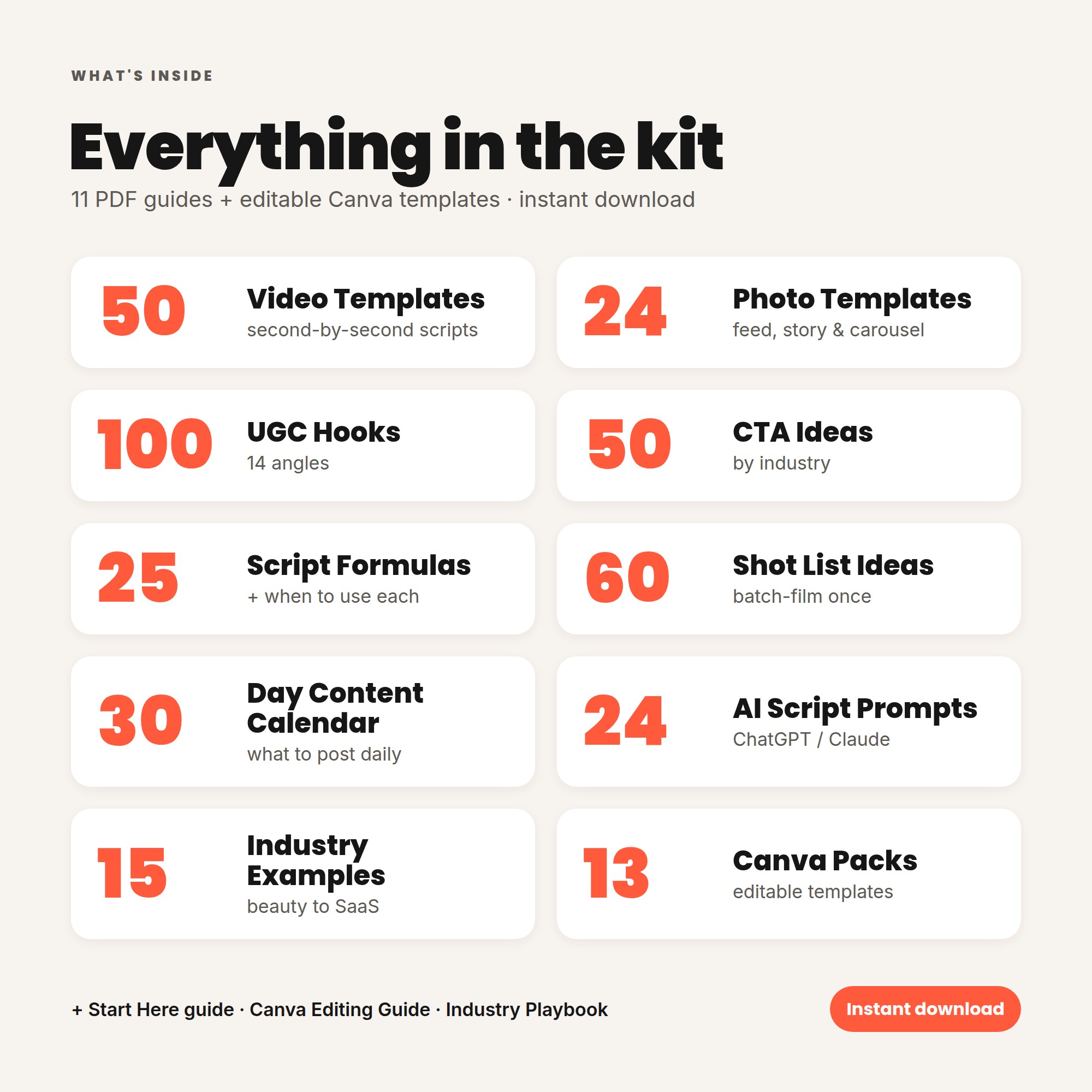
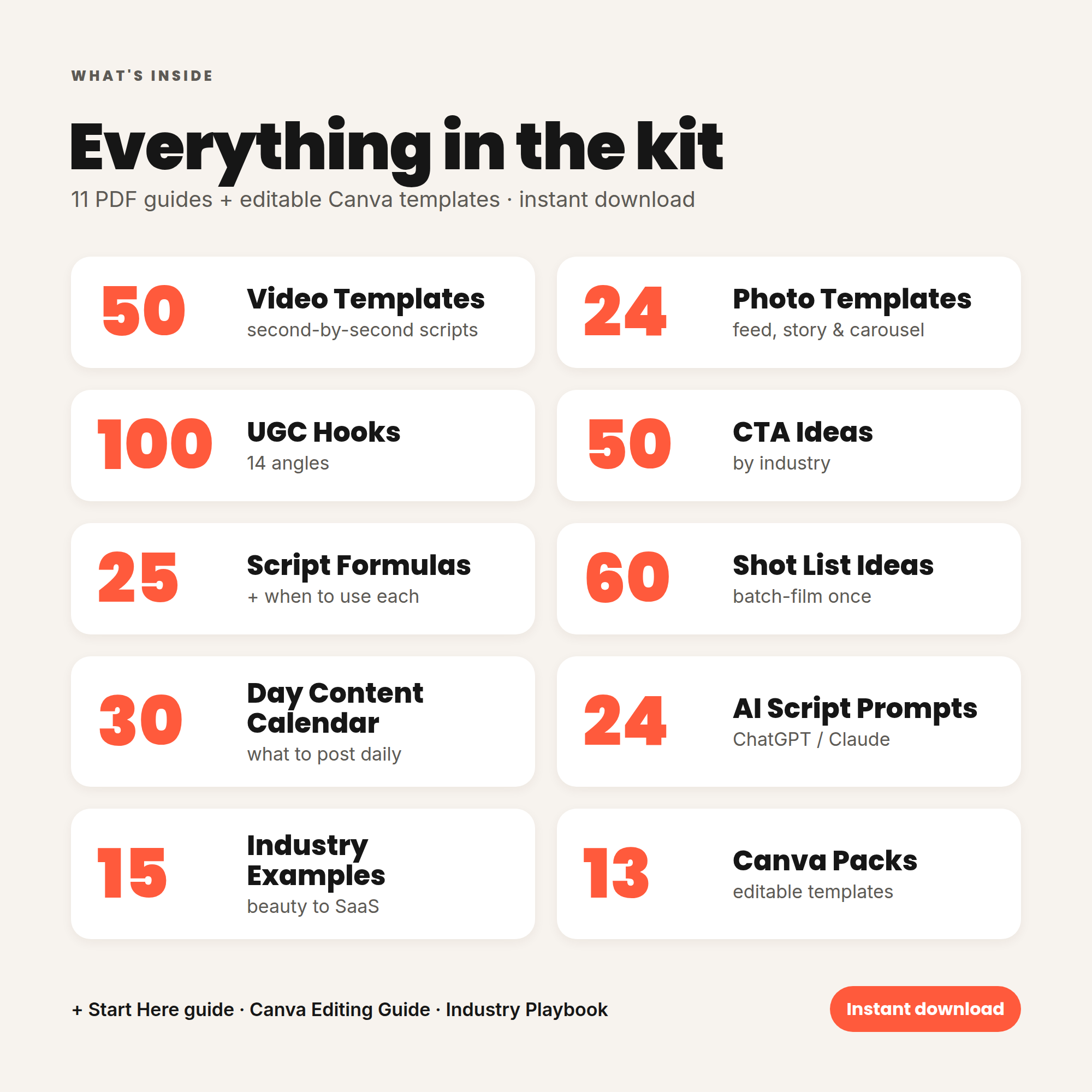
- 50 video templates across 7 proven categories: Problem → Solution, Product Discovery, Testimonial/Review, Demo/Showcase, Founder, Educational and Offer/Sales
- 24 photo ad templates — selfie testimonials, product-in-hand, before/after, screenshot reviews, comparison tables, carousels and more
- Editable Canva template files for videos, photos, end cards, subtitle styles and native-style UI elements (comment bubbles, review cards, chips)
- Canva Editing Guide — sizes, safe zones, font pairings, subtitle styling, colour and logo customisation
- Industry Adaptation Playbook — worked examples for 15 industries
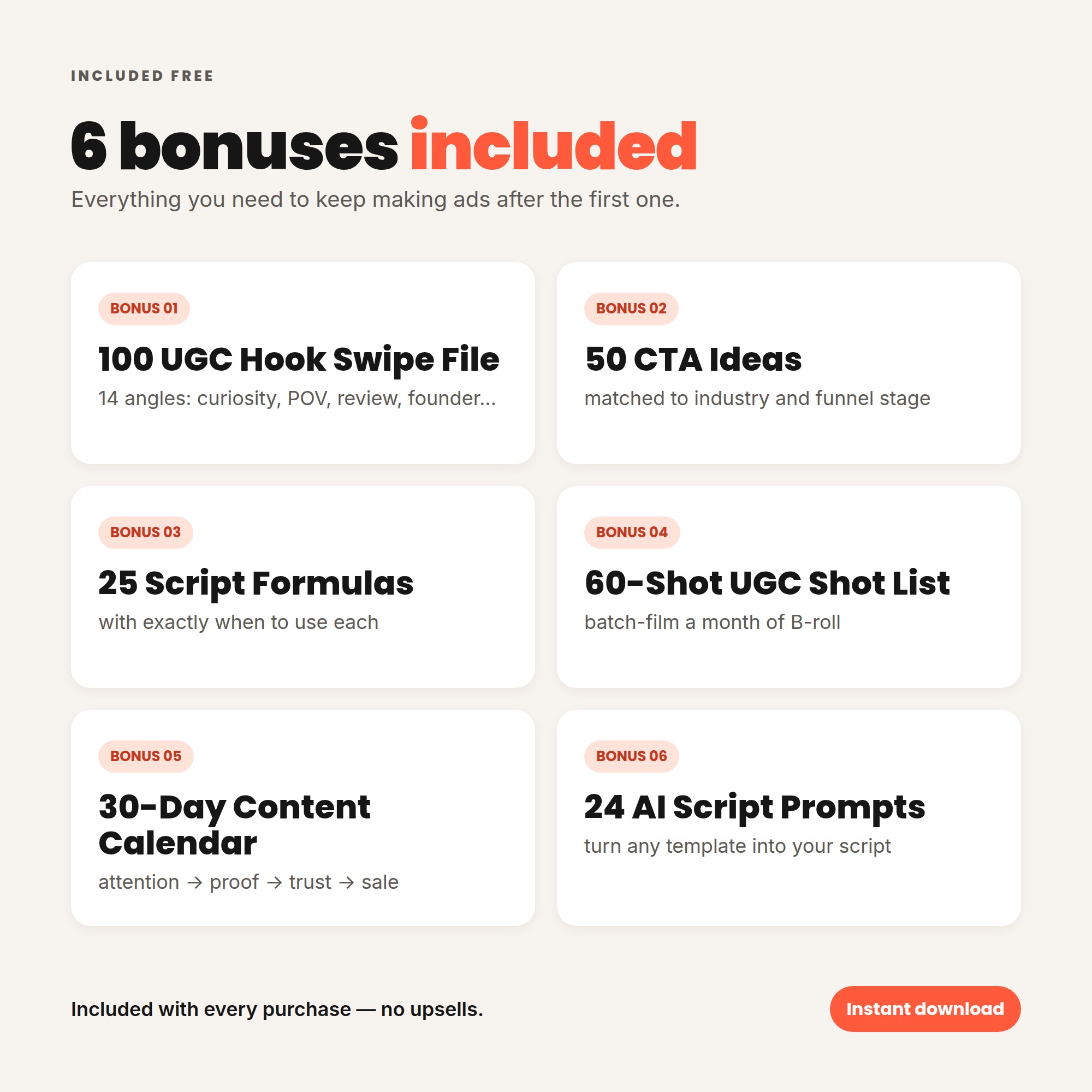
- 6 bonuses: 100-hook swipe file, 50 CTAs, 25 script formulas, 60-shot list, 30-day content calendar and 24 AI script prompts
How it works
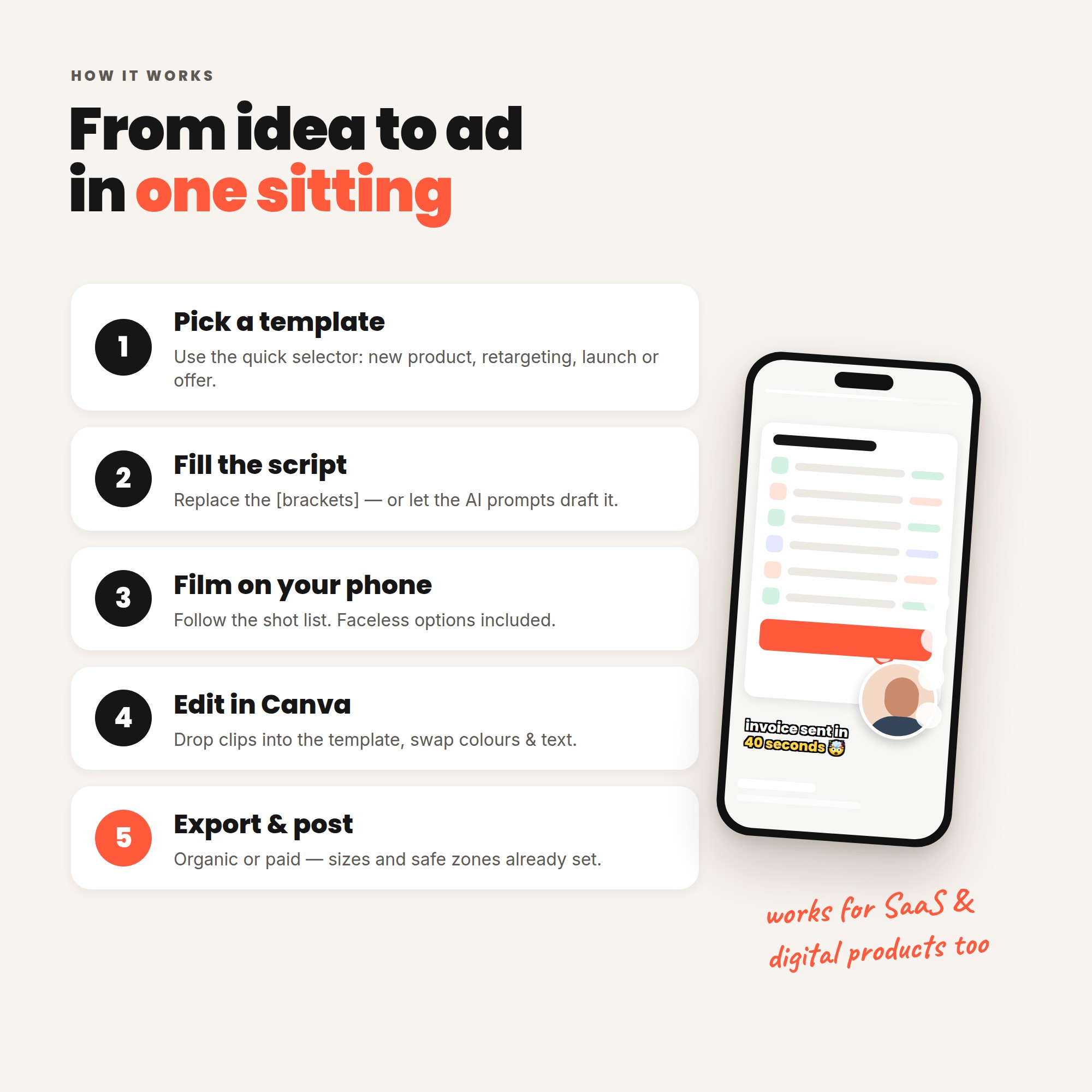
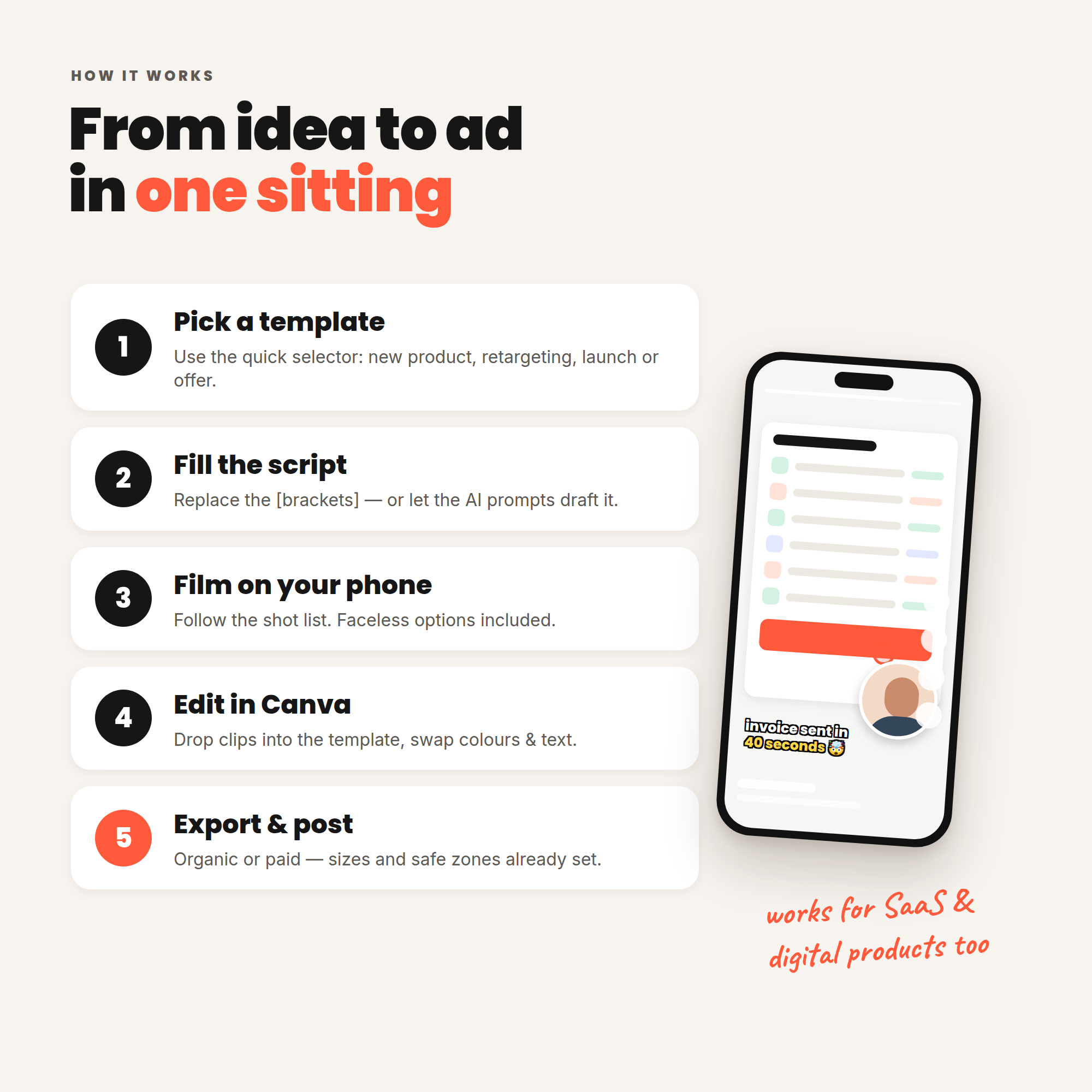
- Pick a template using the quick selector (“new product?”, “retargeting?”, “running an offer?”).
- Fill in the brackets in the script — or use the AI prompts to draft it for you.
- Film the listed shots on your phone.
- Drop your clips into the matching Canva template, update the text and colours.
- Export and post — organically or as a paid ad.
Why you need it
- Speed: stop starting from a blank page. Every template is already structured and timed.
- Volume: 50 templates × 100 hooks gives you enough combinations to test new creatives every week.
- Authenticity: designed to look like native social content, not a corporate advert.
- Repeatability: once you’ve made one, you have a system you can reuse for every product and campaign.
How quickly can you use it?
Most buyers can make their first ad within an hour: pick a template (5 min), write the script (10 min), film (20 min), edit in Canva (20 min). The Start Here guide includes a “Your First Hour” plan.
Results depend on your product, offer, audience and execution — this kit gives you the templates and process, not guaranteed outcomes.
What’s Included (Checklist)
- ✅ 01 Start Here Guide (+ Canva template links)
- ✅ 02 UGC Video Templates — 50 templates with timelines
- ✅ 03 UGC Photo Templates — 24 layouts
- ✅ 04 100 UGC Hooks swipe file
- ✅ 05 50 CTA Ideas
- ✅ 06 25 UGC Script Formulas
- ✅ 07 UGC Shot List — 60 shots
- ✅ 08 30-Day UGC Content Calendar
- ✅ 09 AI UGC Script Prompt Pack — 24 prompts
- ✅ 10 Canva Editing Guide
- ✅ 11 Industry Adaptation Playbook — 15 industries
- ✅ Editable Canva templates: video, photo, carousel, end cards, UI elements, subtitle styles
- ✅ Instant digital download
Key Benefits
- Create UGC-style ads without hiring a creator — use your own phone, face, hands or team.
- Never face a blank page — every template tells you what to film, show and say.
- Beginner-friendly — no video editing experience needed; step-by-step Canva instructions included.
- Works across platforms — Instagram Reels, Stories, Feed, TikTok, Facebook, YouTube Shorts.
- Built for testing — swap hooks and CTAs to produce multiple variations of every ad.
- Native, authentic look — designed to blend into feeds, not look like a banner ad.
- Adaptable to any niche — 15 industry examples show exactly how to customise.
- Organic and paid — guidance for posting natively and adapting for ads.
- A month of content planned — 30-day calendar tells you what to post each day.
- AI-ready — prompts that turn any template into a custom script in minutes.
Who It’s For
- Small business owners who do their own marketing
- E-commerce and online store owners
- Digital product sellers (templates, courses, printables)
- Coaches, consultants and service providers
- SaaS and app founders
- Beauty, skincare and wellness brands
- Fashion and accessories brands
- Food, beverage and lifestyle brands
- Local businesses (cafés, salons, studios, trades)
- Affiliate marketers
- Content creators and personal brands
- Social media managers, freelancers and agencies producing ads for clients
FAQ
1. Do I need a paid Canva account? No. The templates work with a free Canva account. A few optional features mentioned in the guide (Background Remover, Brand Kit, Magic Resize) require Canva Pro.
2. Do I need to show my face? No. Many templates work with hands-only footage, screen recordings, product shots or text-and-voiceover. Each template notes the format, and the Quick Selector helps you find faceless-friendly options.
3. I’ve never edited a video. Can I use this? Yes. The Start Here guide and Canva Editing Guide explain every step, from replacing a clip to exporting the final MP4.
4. Does it include actual video footage? No. The kit provides the templates, scripts, shot lists and editable layouts. You film your own product footage (on your phone) so your ads show your real product.
5. Can I use these for paid ads? Yes. File 01 includes a section on adapting creatives for paid ads, and the templates follow common ad sizes and safe zones. Always check each platform’s current advertising policies.
6. Will this guarantee sales or viral videos? No product can honestly promise that. The kit gives you a proven structure and a lot of creative variations to test; results depend on your product, offer, audience and execution.
7. Can I use it for client work? Yes — you can create finished ads for clients. You can’t resell or share the templates themselves.
8. What if I don’t use Canva? Every template is fully described in the PDFs (timings, text, layouts), so you can rebuild it in CapCut, InShot, Adobe Express or any editor.
9. Is it suitable for my niche? The templates are niche-agnostic, and the Industry Adaptation Playbook shows worked examples for 15 industries including beauty, SaaS, coaching, food, local business and affiliate marketing.
10. How will I receive the kit? Instantly after purchase as a digital download (PDF files). Canva links are inside the Start Here guide.
11. Can I use AI to write the scripts? Yes — the AI Prompt Pack includes 24 copy-and-paste prompts for ChatGPT, Claude or similar tools. Always fact-check AI-generated claims before using them.
12. Is this a physical product? No, it’s 100% digital. Nothing is shipped.
13. What’s your refund policy? [Insert your store’s digital product refund policy here.]
Reviews
There are no reviews yet.